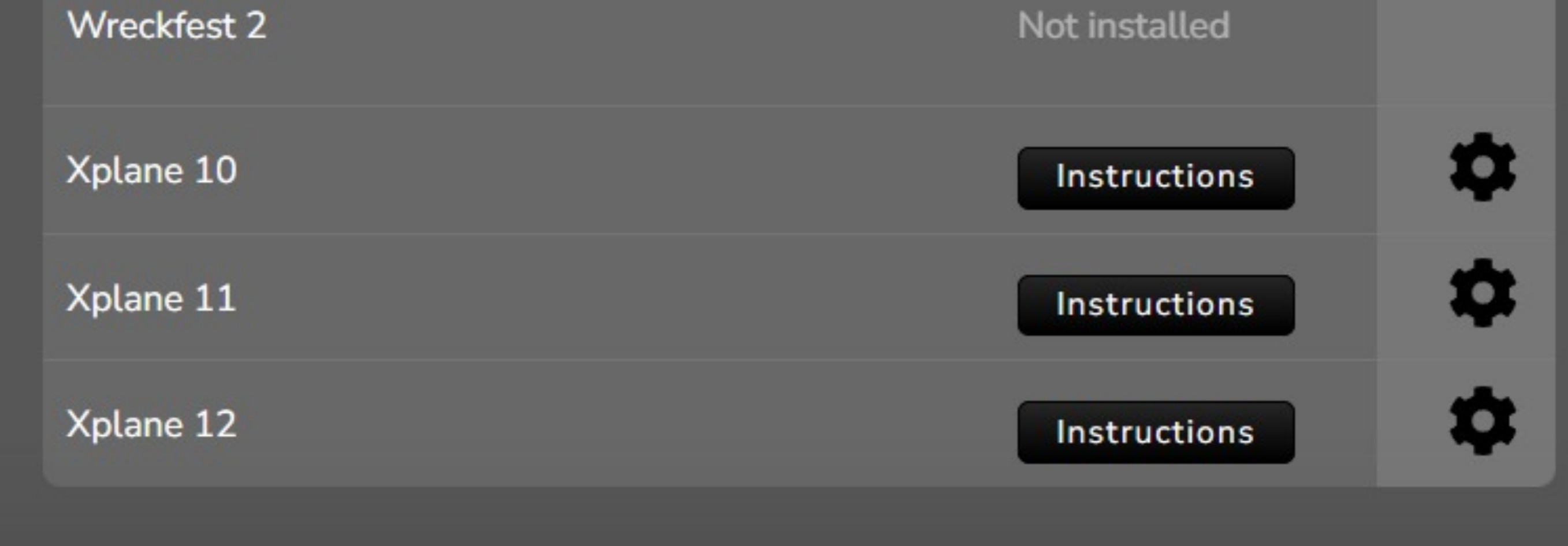
- No telemetry is available for motion, shake or wind
- X-Plane not showing as "Ready to play"
No telemetry is available for motion, shake or wind
To enable telemetry for X-Plane, please follow the Instructions found in the GAMES > PC page in Sim Racing Studio by scrolling down to Xplane. Note: this process is the same for both X-Plane 11 and X-Plane 12.
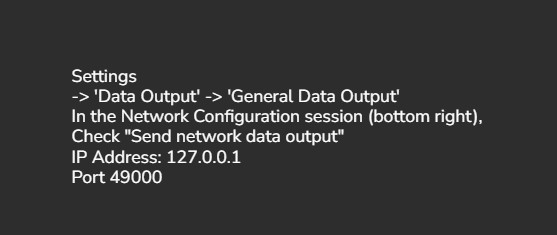
- Open X-Plane
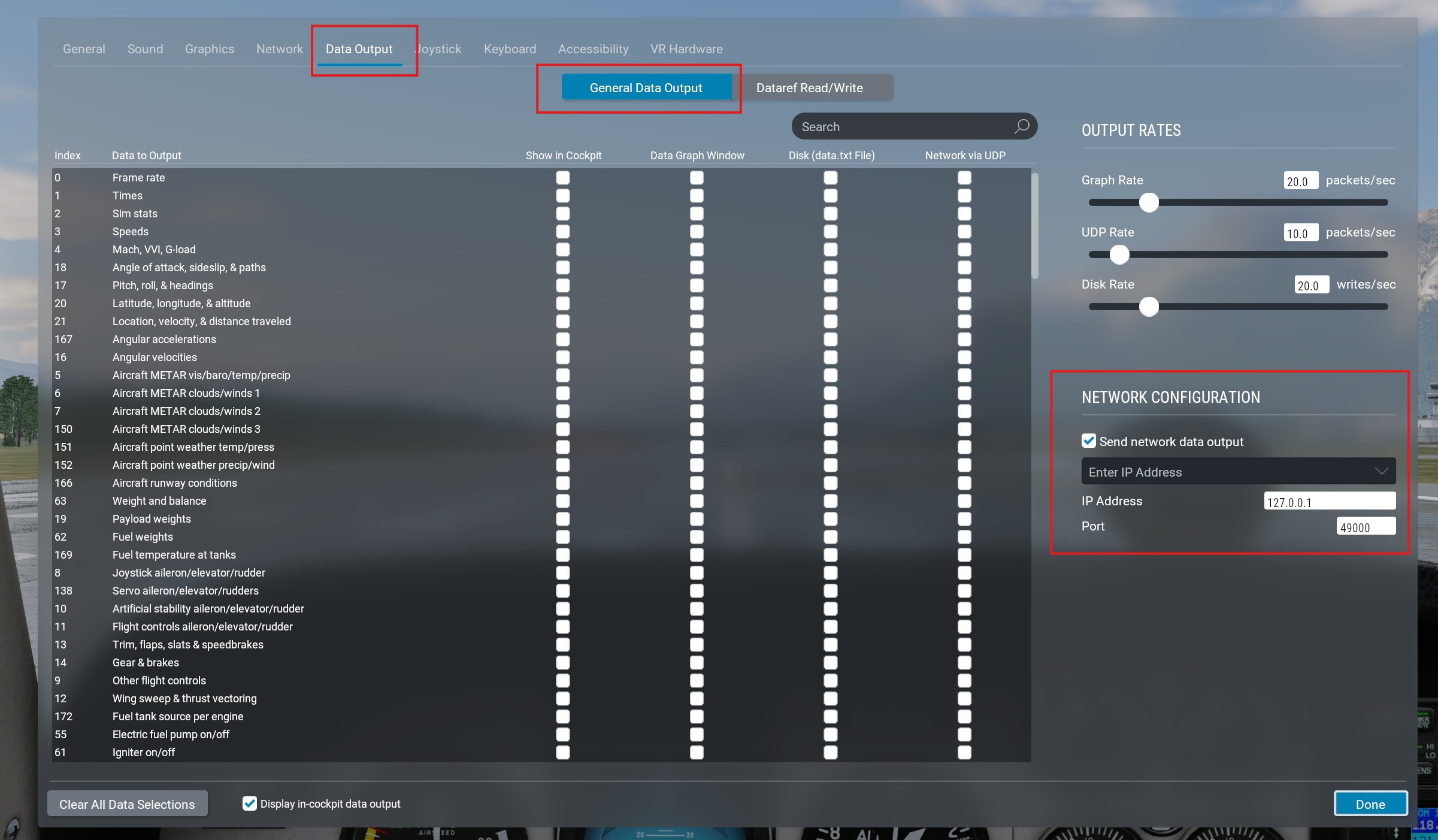
- Go to Settings
- Select Data Output
- Ensure General Data Output is select at the top
- In the NETWORK CONFIGURATION field:
- Change the IP Address to 127.0.0.1
- Ensure Port is set to 49000
- Select Done
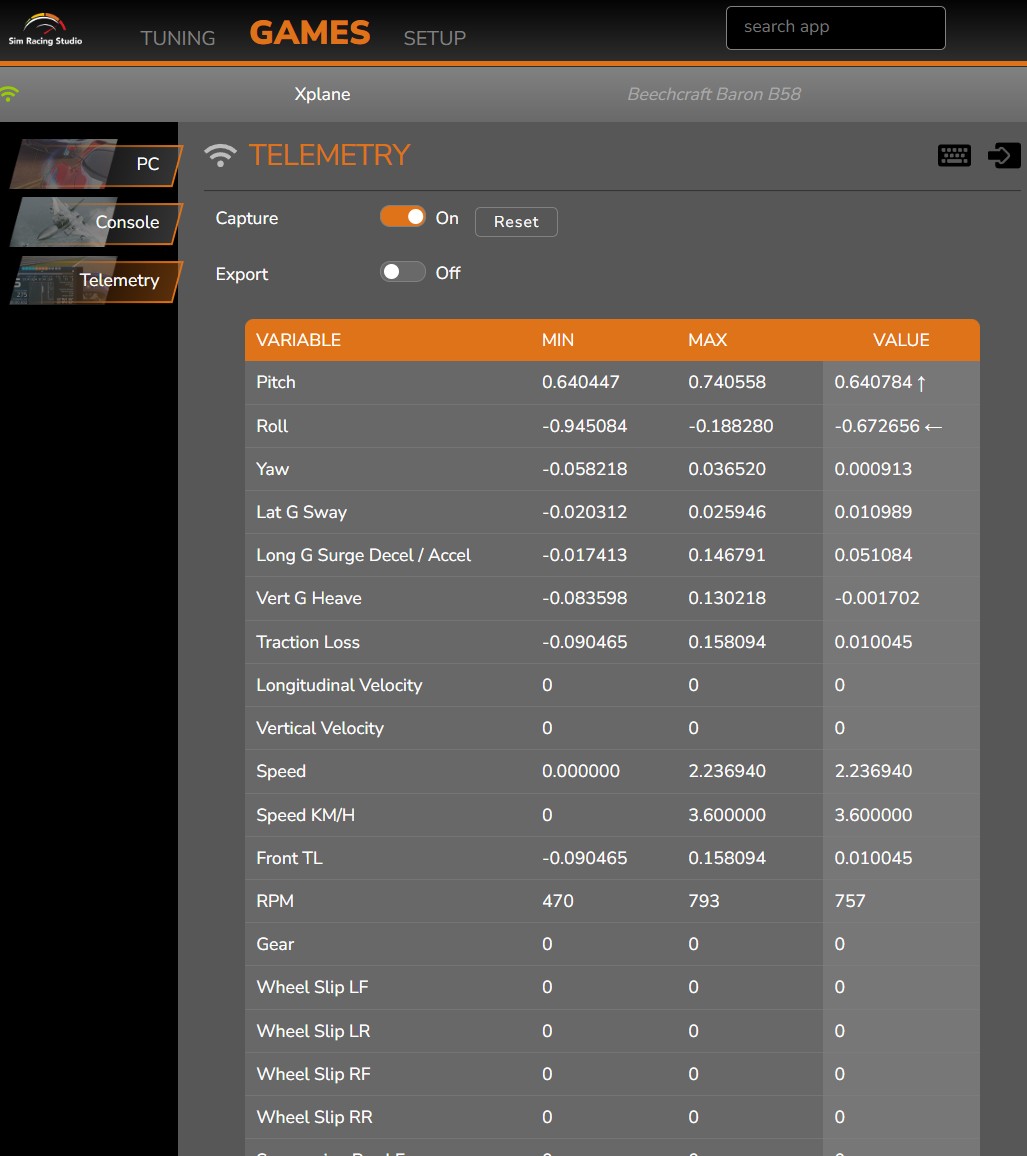
To verify if telemetry is working, open SRS and go to GAMES > Telemetry and click the Capture button to On. Once X-plane is sending telemetry, you will see the values change in the Telemetry page:
X-Plane not showing as "Ready to play"
After configuring X-Plane, SRS will continue to show the Instructions box and not change to "Ready to play". This is due to X-Plane requiring a manual setting and prevents SRS from auto-detecting if telemetry has been enabled or not. Use the process above to verify telemetry is being received for troubleshooting if required.